
- PlatformsWindows
- Age3+
- CategoryProductivity
- PriceFree
You may also like:
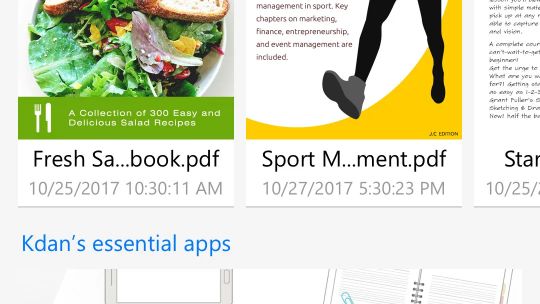
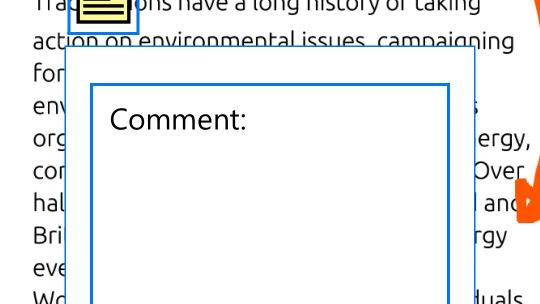
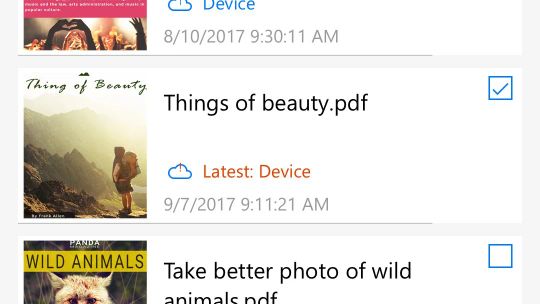
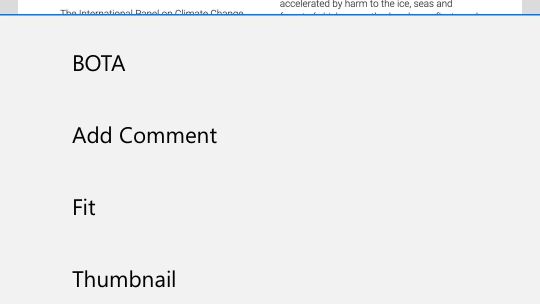
KDAN PDF, formerly KDAN PDF Reader, is your simple, powerful tool for reading and editing PDFs.
Easily read, edit, sign, and share PDFs for sharing and reviewing documents, filling forms, and daily PDF work.
Also available on iOS, Android, and Mac, trusted by millions for faster, more efficient PDF workflows.
“Let’s make PDFs easy to read, easy to edit, and smarter with AI.”
With advanced AI features, you can save up to 80% of editing time and stay productive.
The PDF + AI Tools You Need
• Read PDFs with AI
Instantly get summaries, insights, suggestions, or rapid content understanding from your PDFs using AI.
• Analyze & Extract
Extract key data or tables from PDFs. Export them as spreadsheets for easier analysis and reporting.
• AI Translate
Instantly translate your documents into 100+ languages with AI-powered accuracy.
• Text Redaction
Detects and hides emails, names, and sensitive information. Keep your PDFs safe and private.
KEY FEATURES
EDIT PDF
• Replace, edit, add, or delete text directly in PDFs
• Edit, crop, and adjust images in PDFs
• Insert images to PDFs
• Fill out & edit PDF forms
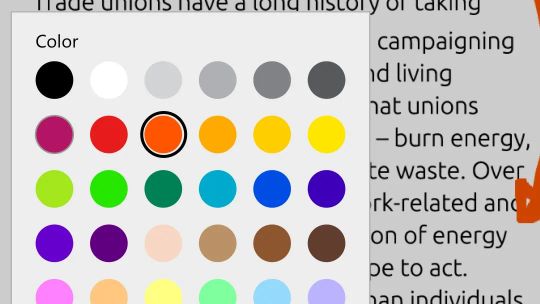
• Change the font size and color
• Add header, footer, and Bates numbering
OCR PDF
• Recognize and extract text from PDFs
• Export OCR results as text or searchable PDFs
• 50+ languages supported
SECURE PDF
• Redact Text (Manual or AI-powered)
• Set permission password
• Remove passwords from PDFs
CONVERT PDF
• Support built-in and cloud converter
• Support PDF to Word, Excel, PPT, text, image & eBook conversions (docx, xlsx, pptx, png, txt, rtf, ePub, AZW3 & MOBI)
VIEW FILES
• Change PDF background color
• Present a PDF as a slideshow
• View and validate certificates and signatures in PDF documents
• View multiple PDFs as tabs
• View PDF in single-page or double-page view
• View PDF files as plain text (text reflow)
• Horizontal or Vertical scroll, Single Page or Continuous scroll modes.
• Search text in PDFs
• View a PDF in full-screen mode
PAGE EDITOR
• Rotate, delete, add, and rearrange pages
• Extract pages from PDFs
SIGN & WRITE ON PDF
• Sign contracts and agreements with signatures
• Create and manage signatures from within the library
• Add handwritten notes to PDFs (Integrated with Windows Ink)
ANNOTATE & REVIEW PDF
• Annotate PDFs with highlights, underlines, strikeout text, shapes, sticky notes & text boxes
• Add pre-designed stamps, including Approved, Sign Here, Confidential, and more
• Add custom stamps with time and date information
• Insert hyperlinks to external websites, target pages, and email address
• Insert images to PDFs
• Flatten all annotations before sharing
MANAGE FILES
• Zip and unzip files
• Merge multiple files into one PDF
• Split a large PDF into several small PDFs
• Send faxes directly from within the app
• Share documents as flattened PDFs or annotated PDFs with others
AWARDS AND RECOGNITION
Best Office Software Products for 2024 by G2, “Fastest Implementation” and “Easiest To Do Business" for Small Business by G2 in Winter 2024, Best PDF reader apps for 2020 by Tom's Guide.
The Free plan includes PDF viewing, annotations, and signatures. Start a free trial to access advanced features, including PDF Editing, OCR, PDF Security, PDF Conversion, and Page Management.
UPGRADE OPTIONS
DOCUMENT 365 AI+ & eSign
• Document 365, AI features, and eSign services
• Plan: USD 109.99/year
DOCUMENT 365
• Access KDAN PDF across different platforms
• Plans: USD 59.99/ year, USD 19,99/ quarter, USD 9.99/ month
KDAN PDF for Windows PERMANENT
• USD 119.99 one-time purchase
• Access all offline features in KDAN PDF for Windows only
• This plan does not include KDAN Cloud, online file conversion, AI features
Subscriptions will be charged through your Microsoft account at the confirmation of purchase. Your Microsoft account will be charged for renewal within 24-hours prior to the end of the current period, for the same duration, and at the present subscription price. No cancellation of the current subscription is allowed during an active subscription period. Please log into your Microsoft account to manage the free trial and subscription.
Terms of service: https://pdf-reader.kdandoc.com/terms-of-service
Privacy Policy: https://pdf-reader.kdandoc.com/privacy-policy
Got a question?
Contact us at helpdesk@kdanmobile.com or check out https://support.kdanmobile.com.