
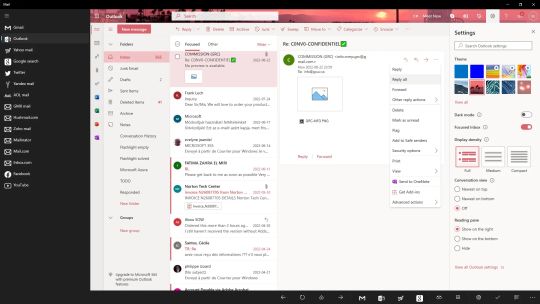
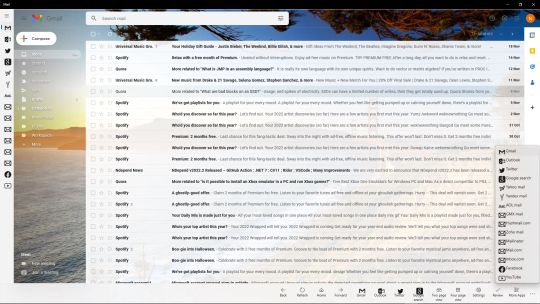
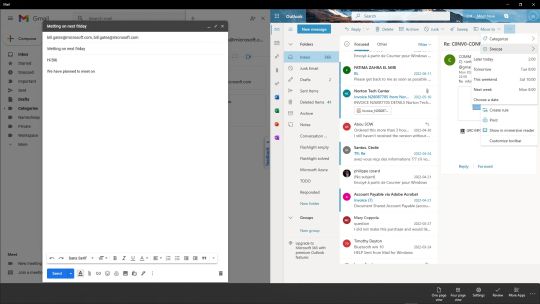
Connect easily and super fast to your Gmail, Outlook, Yahoo or other email accounts!
FEATURES:
• Easy to use and super fast user interface. You can easily navigate between your email accounts
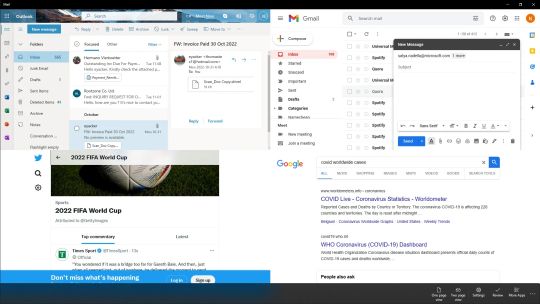
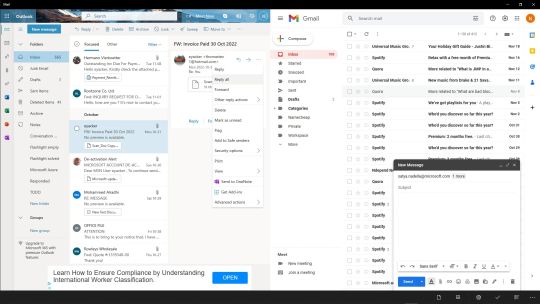
• Two page split view to work parallel on multiple email accounts
• Back, Forward, Home and Refresh buttons for easy navigation
• Read incoming messages in the Inbox
• Compose new meassges
• Delete, Archive and Mark your emails
• Manage Sent mails, Drafts and your personal Labels
• Download attachments to your device
• Manage your Contacts
• Search
• Fastest Mail app on the Microsoft Store
• Redesigned Settings page
• In the Sites page you can easily reorder, delete, add new or rename your email providers.
• In the UI page you can set your Theme (dark or light mode) and on Xbox devices you can set your screen scale
• In the System Info page you can see details about your device hardware and software
• In the About page you can see your installed Mail app version, license and package processor architecture (x86, x64, arm)
LICENSE:
• The paid version of Mail+ has no advertisments. Buy the Mail+ app to remove advertisments and support the developer!
CONTACT:
• Please feel free to contact me at eyacker@outlook.com if you would like to have some new feature in the Mail app or you have any suggestion.
I will take care of every issue or suggestion with the Mail+ app! :)
Please review the Mail+ app in the Microsoft Store if you like it! It will help me! Thank you! :)
DISCLAIMER:
Mail app and its creators are not associated with or sponsored by Google, Inc. All rights belong to their respective owners.