


Browser Pro+ is a lightweight desktop web browser designed for speed, clarity and multitasking. It combines essential browsing features with powerful productivity tools like split screen view and always-on-top mode — all in a clean Microsoft Fluent UI design.
Use it as your primary web browser or as a focused secondary browser for research, work, studying or monitoring content.
🧭 Fast & Smart Browsing
• Tabbed browsing with drag-and-drop reordering
• Pin tabs and restore previous sessions
• Smart address bar with automatic search detection
• Built-in Find in Page
• Per-tab zoom controls
A modern browsing experience built specifically for Windows desktop users.
🖥 Split Screen View
Browse two websites side by side in one window.
• Adjustable split ratio
• Ideal for comparison, research and multitasking
• No constant tab switching
A built-in split screen browser mode that helps you stay productive.
🔒 Private Browsing
Open a dedicated Incognito window whenever you need a private session.
• No browsing history saved
• Isolated temporary session
• Clean distraction-free environment
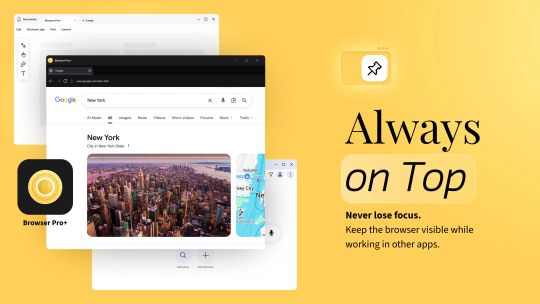
📌 Always-on-Top Window
Keep your browser visible while working in other applications.
• Pin window above all apps
• Ideal for dashboards, chats, documentation or streaming
• Remembers window size and position
Designed for real desktop workflows.
⭐ Built-in Bookmark & Download Manager
• Organize bookmarks into folders
• Quick bookmark search
• Download manager with progress tracking
• Open files or show in folder
Everything you need in a clean desktop browser.
🎨 Customizable for Windows
• Light, Dark or System theme
• Choose your preferred search engine
• Option to set as your default browser
• Optional startup with Windows
Built for Windows users who want a lightweight, private and productivity-focused web browser.
📂 Open Web & Local Content
Browser Pro+ can open websites, local HTML files, PDF documents and web shortcuts directly from your desktop, making it a practical secondary browser or quick web viewer when you need fast access to online or offline content.