
- PlatformsWindows
- Age3+
- CategoryPersonalization
- PriceFree
You may also like:
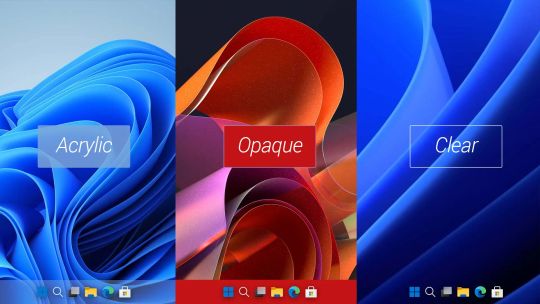
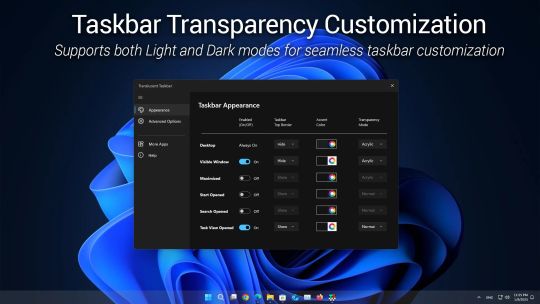
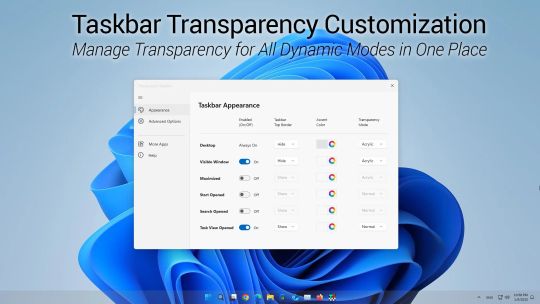
Translucent Taskbar is a lightweight utility designed to enhance the appearance of your Windows taskbar with customizable transparency modes and color settings. The app supports four distinct transparency modes—Normal, Opaque, Clear, and Acrylic—allowing users to tailor the taskbar's look to their personal preferences or desktop theme. With an intuitive interface and advanced settings for dynamic modes, Translucent Taskbar provides a seamless way to create a clean and modern desktop experience on Windows 10 and 11.
Product License:
Setting the taskbar to transparent in the default Desktop mode is always free. Customizing transparency for other dynamic modes—such as when the Start menu is open or a window is maximized—requires a premium license upgrade.
Feature Highlights:
Four Transparency Modes: Choose between Normal (default style), Opaque (solid color), Clear (fully transparent), and Acrylic (frosted glass effect) for a personalized taskbar appearance.
Dynamic Modes: Automatically adapt the taskbar's appearance based on system activity, including when the desktop is visible, the Start menu is opened, or a window is maximized.
Accent Color Customization: Select custom colors to match your desktop theme, with real-time previews for instant adjustments.
Top Border Control: Add or remove a 1-pixel border at the top edge of the taskbar for a defined and clean layout.
Single Window Control: Manage all taskbar appearance settings from one centralized window, eliminating the need for multiple menu interactions.
Lightweight Design: Runs efficiently in the background without affecting system performance.