- PlatformsWindows
- Age12+
- CategoryMultimedia Design
- PriceFree
You may also like:
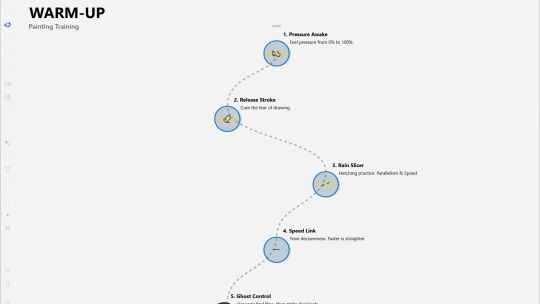
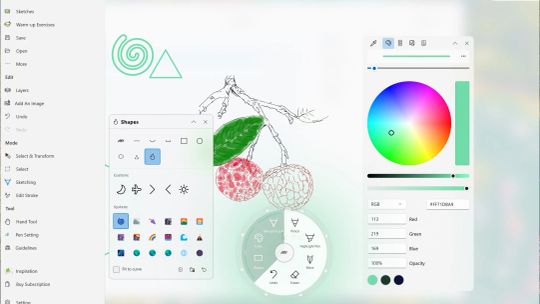
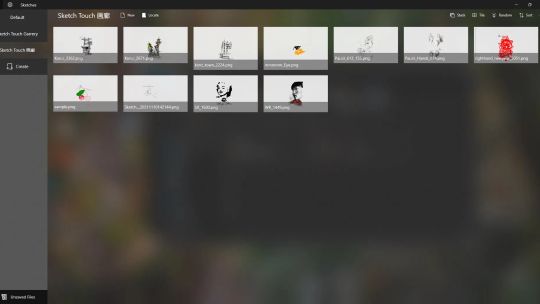
Sketch Touch is an inspired sketching and painting tool. Infinite canvas, online interactive painting, vector high-definition scaling, each feature is designed to practice the aim everyone is a creator. Strive to make your creation simple here. There are multiple brush categories within the application to meet different creative needs. A brand new inspiration tool that allows you to think like a spring in your creation. Simple lines are sufficient for rich expression, simple but not simple.
Note: The images displayed in Sketch Touch are created by Sketch Touch users (including Windows phones). Thank you for their support.
------------------------------------------
Features
~Pure UWP application - simple and secure
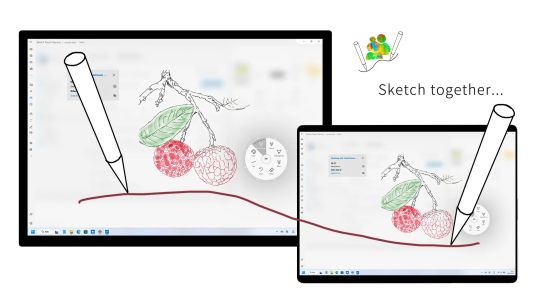
~Sketch together in the same Local LAN networking , sharing canvas and creating together
~Vector stroke, infinite canvas, infinite zoom level
~Exquisite online painting works
Functions:
#Brush
~Various brushes such as ballpoint pens, pencils, airbrushes, highlighters, pens, image brushes, etc
~Image brushes can be unlimited to meet creative needs
~Various brush parameters can be adjusted for pen tip width, height, etc
~Dot eraser,stroke eraser, soft transparent eraser
#Canvas
~Infinite canvas, borderless and can be painted and created from any position
~Infinite scaling, with unlimited scaling levels to grasp the global or focus on details
~Vector scaling, amplifying details without distortion
#Layer
~Infinite adding Canvas Layer
~Layer moving, merging, exporting, importing, etc
~Layer background image and background color support
#Select Tools
~Forward and reverse selection switching
~Select strokes and erase
~Choose to move or scale strokes
~Choose to copy strokes or copy as image
#Auxiliary lines
~Support grid auxiliary lines with adjustable spacing
~Support for perspective auxiliary lines, allowing for free adjustment of the number and position of poles
#Local network interactive creation
~Machines connected to the same local area network that enable this feature can share the canvas
~Both parties can create together on the same canvas and view each other's painting strokes in real-time
#Inspiration Tools
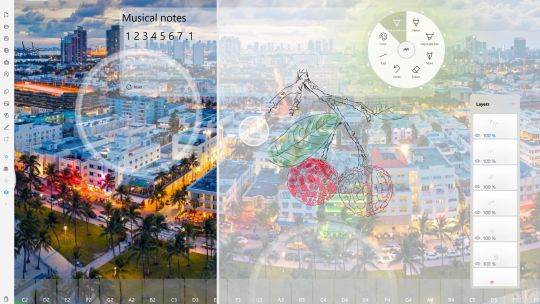
~Electronic organ support, enabling auditory activation of vision
~Daily Bing image and background music effects
#Online works
~Collect exquisite works from early SkethTouch users
~Works can be replayed
#Other functions or support
~Open PDF file
~Export the atlas as a PDF file
Paid subscription function
1. No advertisements
2. Unlock layer function: unlimited layer support, layer export, layer copying
3. Unlocking soft erasers, spray brushes, image brushes, fill brushes
4. Unlocking selection editing tools: handwriting selection, copying strokes, copying images, cropping to new layers, moving, scaling, rotating, erasing
5. Unlock modification tools: replace brush styles, move strokes, adjust strokes
6. Unlock the selecting and transform tool
7. Unlocking import/export PDF file,Saving folder ,Virtual Piano, Sketch Player, and exporting images......
After downloading, the application immediately enters trial mode,you can have several times to experiment this app.