
- PlatformsWindows
- Age3+
- CategoryMultimedia Design
- PriceFree
You may also like:
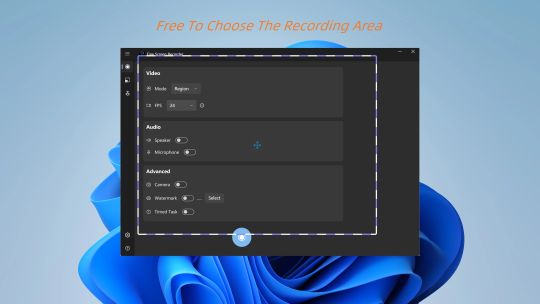
Welcome to Fine Screen Recorder — Your Ultimate Windows Screen Recording Assistant.
In this era of information explosion, capturing screen content has become more important than ever. Whether you are creating gameplay walkthroughs, software tutorials, recording remote meetings, or saving online live streams, we provide the perfect, hassle-free solution.
🌟 Key Features
✅ Completely Free & Unlimited Duration
Do most apps limit your recording time? Not here! You can record videos for hours on end without any forced interruptions. Experience true freedom.
🖼️ Flexible Window & Full-Screen Capture
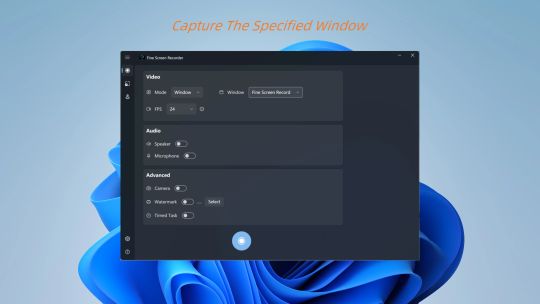
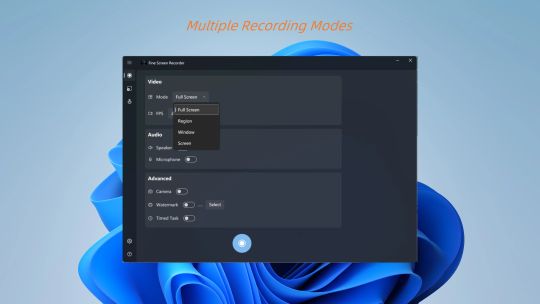
Easily capture the entire screen or select specific application windows. This allows for a cleaner workflow and more focused recordings.
🎥 Crisp Visuals & High Frame Rates
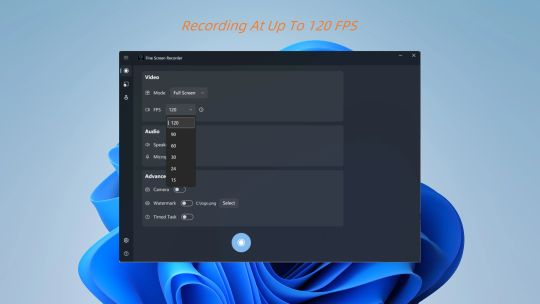
Capture every detail with clarity. The free version supports smooth 24FPS recording, while the paid upgrade offers higher frame rates to satisfy the demanding needs of esports players and high-speed action.
🔊 Professional Audio Mixing
We support recording Microphone input (for voiceovers) and Speaker output (for background music or original sound) independently or simultaneously. This ensures your videos are both visually and aurally excellent.
✍️ Custom Watermark
Protect your original content! Add a personal touch or prevent unauthorized reposts by setting a custom text or image watermark on your videos.
💾 Instant Save Technology
Video data is written to the disk in real-time during recording.
⚡ Lightweight Design
The software is lightweight, launches quickly, and doesn't consume excessive CPU or memory. Record in the background without lag or stutter.
🛠️ Support & Future Development
We are continuously developing new features. Look forward to upcoming additions such as Picture-in-Picture (PiP) and simple editing tools!
Free Version & VIP Premium Version
This app can be downloaded and used for free. The free version includes ads and offers the following basic features:
✅ Recording Duration: No limit, record as long as you want.
✅ Recording Mode: Full-screen mode only.
✅ Frame Rate Limit: Up to 24 FPS supported.
✅ Watermark: No mandatory watermark (custom watermark not supported).
Upgrading to VIP Premium Version unlocks all professional features and removes ads:
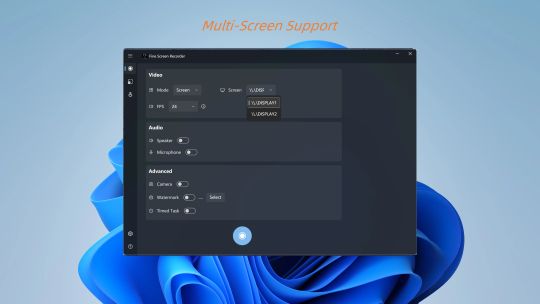
👑 All Modes Unlocked: Supports region recording, specific window recording, and multi-monitor selection.
👑 High Frame Rate: Unlocks 60 FPS, 90 FPS, and even 120 FPS (hardware support required).
👑 Custom Watermark: Supports adding your own image or text watermark to protect copyright.
👑 Scheduled Tasks: Supports setting automatic recording stop for smarter recording.
👑 Ad-Free Experience: Permanent removal of all in-app ads.
Important Technical Note:
This application is built on Windows Media Foundation.
Windows N or KN Users: Please download and install the "Media Feature Pack" from the Microsoft website.
Windows Server Users: Please use Server Manager to add the "Desktop Experience" or relevant media features.
Download now and start your creative journey!