- PlatformsSteam
- Age+
- CategoryAudio Production
- Price14.99USD
You may also like:
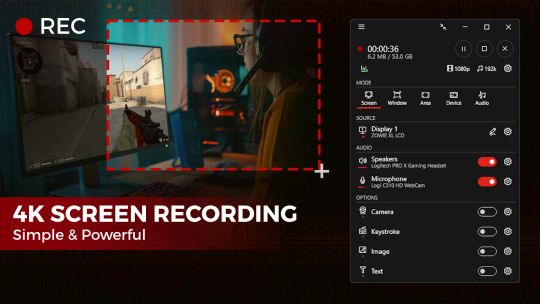
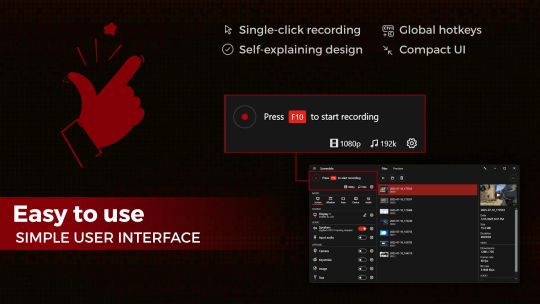
Ultimate screen recorder software for game recording, video tutorials, product demos, YouTube videos and more. Screenbits allows you to capture screen content, system sound, microphone and camera into HD/4K quality video files. With a reasonable price, it has all the features you expect from a screen recording software provided in an easy to use interface.
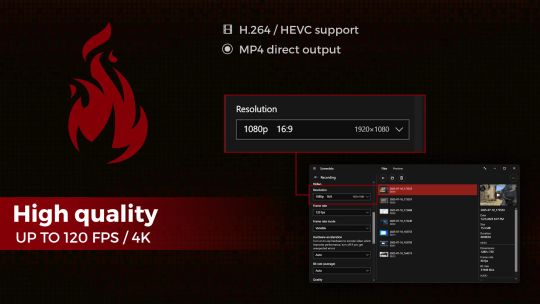
• Video Recording: Create high quality, compressed MP4 (H.264/HEVC/AAC) multimedia files from captured video and audio.
• Audio Recording: Create high quality, compressed MP4A (AAC) audio files from captured audio.
• Screen Capture: Capture video from system display in full-screen mode.
• Window Capture: Capture video from a window.
• Area Capture: Capture video from an area on the screen.
• Device Capture: Capture video from camera individually.
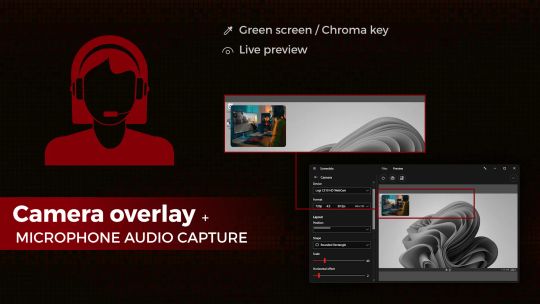
• Audio Capture: Capture system sound and your voice from microphone.
• Camera Overlay: Add camera image to the captured video from the screen.
• Screenshot: Take screenshots from the screen and capture scene.
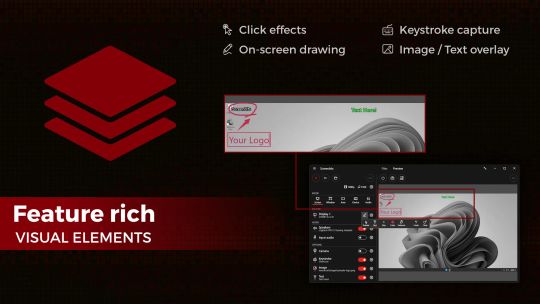
• Draw on Screen: Write, draw and highlight anywhere on your screen.
• Keystroke: Make professional looking tutorials by adding keystrokes to the video.
• Visual Elements: Enrich your content by adding visual elements.
• Global Hotkeys: Start and stop recording, take screenshots and change options by keyboard shortcuts.
• Preview: View the output before and during the recording.
• Schedule: Start, pause, and stop recording at a specific time, duration or size of the output file.
• Countdown: Play countdown before recording starts.
• Push-To-Talk: Use push-to-talk key to capture microphone only when you speak.
• File Manager: View and manage recorded files directly from the application.
• Compact View: Use a minimal user interface to interact with the app.
• File Name Template: Define a custom template for file names.
Video Recording
• MP4 file format
• High quality (HD) recording up to 4K*
• High performance
• Up to 120* frames per second recording
• Adjustable output resolution and scaling
• Adjustable quality and frame rate
• Compressed (H.264/HEVC) output
Audio Recording
• Ability to record input audio (microphone, headset, etc.)
• Ability to record system sound (speakers, headphones, etc.)
• MP4A file format
• High quality audio (AAC)
• Adjustable audio format (bit-rate, sample-rate and channels)
Screen Capture
• Ability to capture a single display or all displays (multi-display support)
• Ability to capture mouse pointer
• Ability to exclude taskbar
• Ability to switch between screens during recording
• Ability to capture active screen
• Pointer highlighting and click effects
Window Capture
• Ability to select windows from list of open applications
• Ability to select windows on the screen
Area Capture
• Ability to capture rectangular area and around mouse pointer
• Ability to show movable frame around the capture area
• Advanced area selection tool
• Ability to add custom presets
Device Capture
• Ability to record camera or other video capture devices individually
• Ability to switch between device capture and screen capture modes during recording
• Adjustable format
Audio Capture
• Ability to capture and record audio individually into audio files
• Ability to use push-to-talk mode for capturing input audio
Camera Overlay
• Adjustable format, size and position
• Chroma key effect
• Custom graphics
• Outline
Screenshot
• Ability to take screenshots from a single display or all displays
• Ability to take screenshots from any area on the screen
• Ability to take screenshots from the capture scene
• PNG and JPEG file format
Draw on Screen
• Ability to use several tools such as pen, marker, arrow, rectangle and text
• Ability to interact with other apps while drawing
• Ability to turn drawing on and off by keyboard shortcuts
• Ability to fadeout drawing automatically
Keystroke
• Customizable keys, position, duration, etc.
• Customizable appearance
Visual Elements
• Ability to add image
• Ability to add text with custom font, color, outline, etc.
* Recording performance depends on your hardware.