
- PlatformsIos, Ipad, Macos
- Age4+
- CategoryMusic
- PriceFree
You may also like:


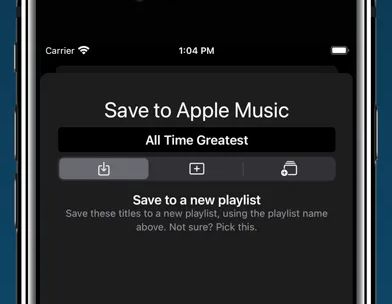

Don't put up with bad matches and missing tracks - use the tool that gives you control over your playlist transfers.
Important: You'll need a current Apple Music subscription to use "Playlisty for Apple Music".
• Copy all of your Spotify playlists, liked songs, albums and artists to Apple Music in just a few taps
• Fast & accurate, finds the Apple Music tracks with the best audio quality & artwork
• NO SUBSCRIPTION – just a small one-off fee to unlock “Pro” features¹
• Lets you preview & amend matched playlists before saving results to Apple Music
• Unique "direct play" feature - browse and play playlists without having to save them
• Been sent a link to a Spotify playlist, track or album? Playlisty's unique "scratchpad" will convert it to Apple Music
• Back-up your Apple Music playlists & songs to a file to keep them safe
• Copy your library playlists, including your liked songs, from multiple other services such as YouTube
• Use Siri Shortcuts to automatically sync playlists in the background
• Discover new curators, artists & genres on some of the world's best music sites
• Import or copy/paste playlists from hundreds of different file formats & web-pages
Please note that Playlisty for Apple Music transfers playlists *into* Apple Music, not out. If you are looking to transfer playlists from Apple Music to Spotify please look at our other app: Playlisty for Spotify (https://apps.apple.com/us/app/playlisty-for-spotify/id6478105775) which goes the other way.
¹ The free version of Playlisty allows you to import an unlimited number of playlists, but playlists from certain sources (e.g. Spotify & YouTube) are capped at 20 tracks. Our low-cost "Pro" upgrade unlocks a number of additional features including playlists of unlimited length regardless of source.