
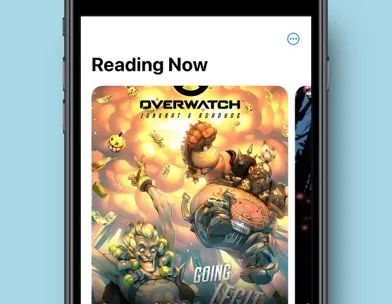

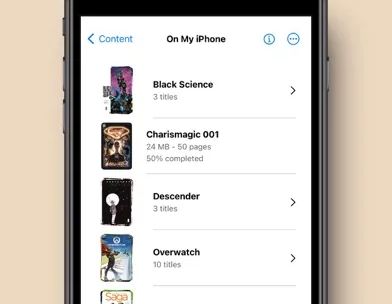


Improve your comic reading experience with Panels. Enjoy reading your favorite titles in a clean and delightful interface, with plenty of customization and advanced features.
Key features:
- Universal Compatibility: Support for most common comic types: CBR, CBZ, CB7, PDF and comic ePUB (not text eBook). Support for multiple image formats, including WebP.
- Cross-Device Sync: Synchronize your reading progress across all your mac devices and resume reading exactly where you left off.
- Full iCloud Drive support: store your entire library on iCloud and access it from different devices.
- Library Organization: Effortlessly manage your comic library with intuitive tools for easy navigation.
* Themes: support for Light and Dark modes, and many others.
* Reading Presets: Choose from a multitude of reading presets or create your own, including horizontal, vertical, or panel-by-panel guided view.
- Right to Left reading (manga): read any comic with Panels.
* OPDS support: Stream, search and download comics from your OPDS compatible server.
* Secure your content: Keep files locked using a password or Face ID for your collections and files. Use Incognito mode to keep your reading sessions hidden.
- Customize your library collections: change folder color, logos and use custom images to make it yours.
* Live Text and Subject detection.
* Experimental Features: Access experimental features like panel-by-panel navigation.
Native support for importing files from:
* iCloud Drive
* Dropbox
* Microsoft OneDrive
- Substack
* OPDS: Komga, Kavita, Codex and others
* Local network shared files and folders via SMB and Embedded web server
- iTunes
- External drives
- Airdrop
- Drag&Drop from other apps
Page Filters:
* Reduce Noise
* Increase Sharpness
* Reduce Moiré
* Crop Borders
* Require an active subscription or a one-time purchase.
• You may purchase an Auto-Renewing Subscription to unlock all the premium features while it\'s active; or a one-off purchase to unlock the current major version features forever.
• Your subscription will be charged to your iTunes account at confirmation of purchase and will automatically renew (at the duration selected) unless auto-renew is turned off at least 24 hours before the end of the current period.
• Current subscription may not be cancelled during the active subscription period; however, you can manage your subscription and/or turn off auto-renewal by visiting your iTunes Account Settings after purchase
• Read our privacy policy and terms of use: https://panels.app/privacy / https://panels.app/terms